Linux Mint on a 2013 Mac Pro
Installing Linux Mint 23 on a 12-core Mac Pro 6,1 — the trash can — including WiFi driver wrangling, keyboard choices, and why this machine is still worth using in 2026.
- Linux
- Mac Pro
- Linux Mint
- Hardware
- DIY
On March 30, 2026 — the same day Apple officially discontinued the Mac Pro line for good — I finished installing Linux Mint 23 on a 2013 Mac Pro. The timing was unintentional, but felt appropriate.
The machine
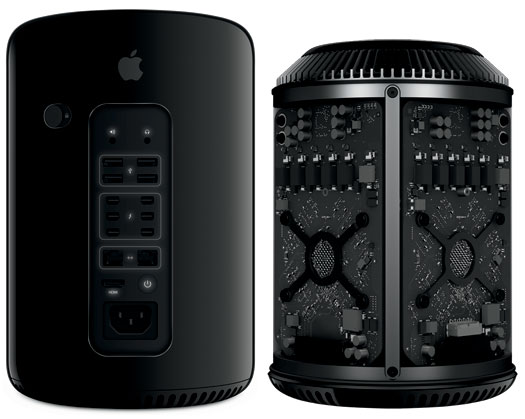
The 2013 Mac Pro (6,1) is one of those niche Macs that gets under your skin. Apple called it the Cylinder. Everyone else called it the trash can. Phil Schiller famously declared "Can't innovate anymore, my ass" when he introduced it. The design was genuinely striking — a compact black cylinder with a unified thermal core, whisper quiet, and immediately iconic.
It was also, as Apple eventually admitted in 2017, a design dead end. The thermal architecture that made it so elegant made meaningful GPU upgrades impossible. Apple stopped updating it in 2013 and didn't ship a replacement until 2019.
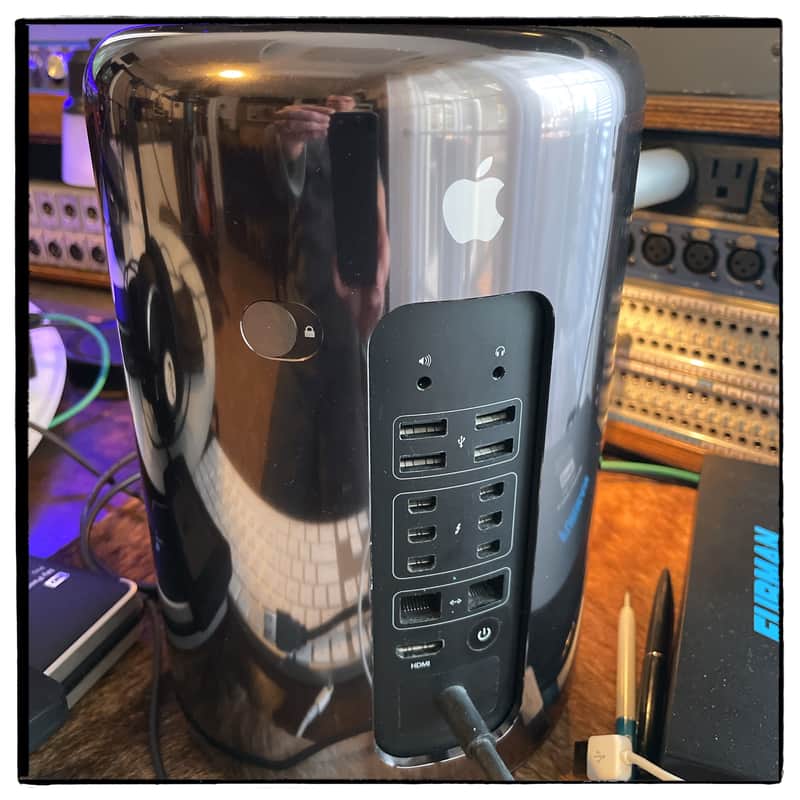
Mine is spec'd well for the price: 12 cores / 24 threads, 64GB RAM, 2TB NVMe, and dual Radeon FirePro D500 graphics cards with 3GB VRAM each. I picked it up from MacSales (OWC) for under $400. Worth noting that prices have since roughly doubled — NVMe and ECC RAM costs have climbed significantly and the secondhand market has caught up accordingly. If you're shopping for one now, budget accordingly.
I've always had a soft spot for these machines. Back in 2001 I had the Power Mac G4 Cube — another beautiful, polarizing Mac that Apple quietly discontinued after one year. I modified mine as much as I could, including a graphics card and CPU swap that required cutting into the plexiglass enclosure. I called her my Frank'n Mac. The trash can scratches the same itch: unusual form factor, serious hardware, and a community of people who refuse to let it die.
Why Linux Mint
I reviewed several distributions before landing on Linux Mint 23 (based on Ubuntu Noble, 24.04 LTS). Mint strikes the right balance for a daily driver: a familiar desktop environment, solid hardware support, a conservative approach to updates, and a large enough community that most problems have already been solved by someone else.
The installation process itself is straightforward. You'll need a bootable USB — the Linux Mint installation guide covers creating one clearly.
What works, what doesn't
The overall experience is good. The machine is fast, runs cool and quiet as ever, and handles everything I've thrown at it. Two areas required extra attention.
Keyboard and trackpad
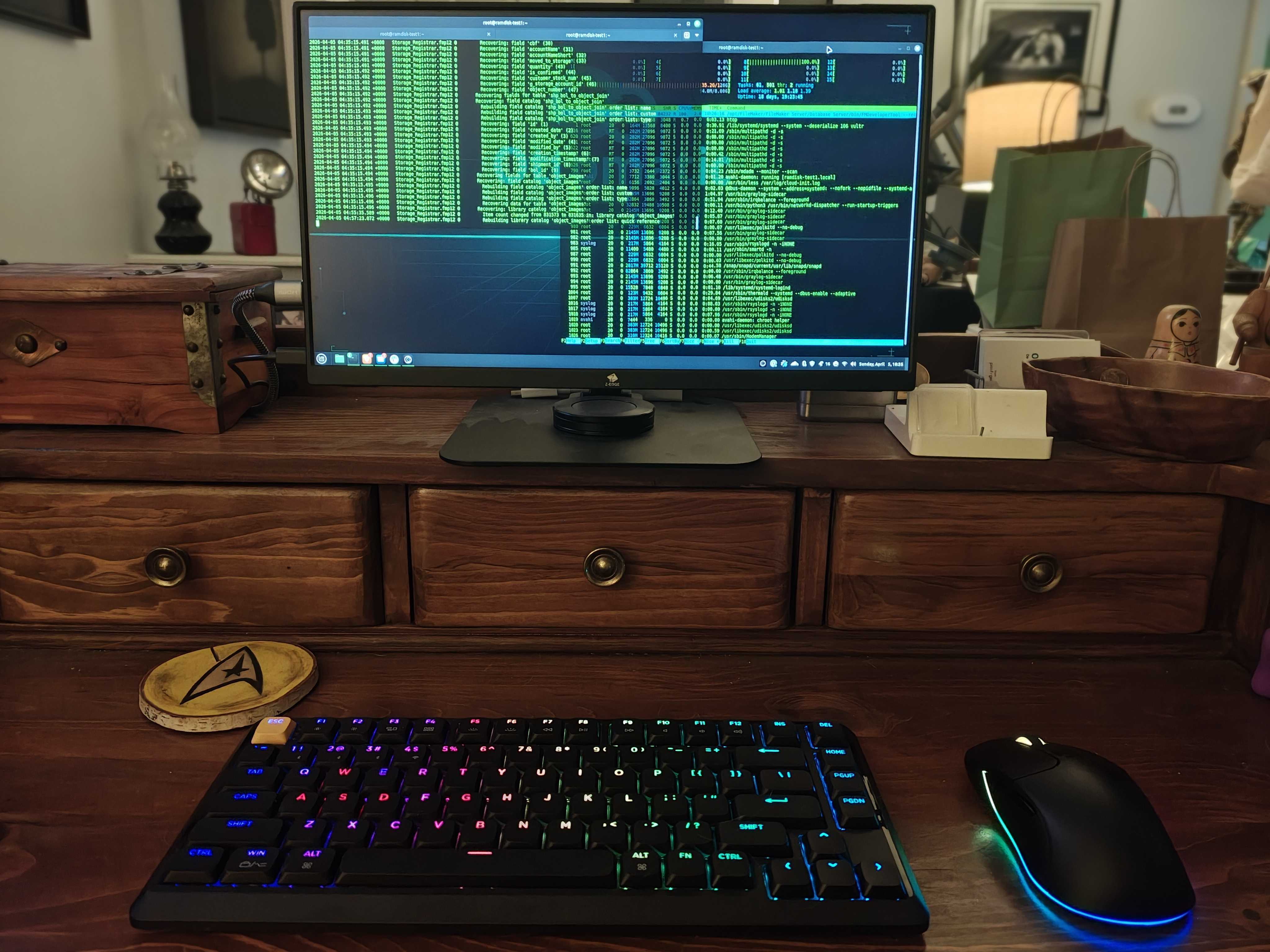
I tried drivers for the Apple Magic Keyboard and Magic Trackpad. They caused system instability — enough that I abandoned them entirely. The fix was straightforward: switch to hardware that just works out of the box. I'm now running a Keychron KJ1 Low Profile Wireless Mechanical Keyboard (75% Layout, Red Switch, QMK, RGB) and the Keychron M3 Wireless Mouse (PAW3395, 26,000 DPI), both of which work with zero configuration. No regrets.
WiFi
The 2013 Mac Pro uses a Broadcom BCM4360 wireless card — a chipset notorious for poor Linux driver support. Getting it working on Mint 23 (Noble) requires manually installing the DKMS package, as the standard driver available through the package manager targets newer kernel versions.
Here is the fix that worked:
cd /tmp
wget https://archive.ubuntu.com/ubuntu/pool/restricted/b/broadcom-sta/broadcom-sta-dkms_6.30.223.271-23ubuntu1.2_all.deb
sudo apt install ./broadcom-sta-dkms_6.30.223.271-23ubuntu1.2_all.deb
Additional context and discussion on the Broadcom driver situation:
After running those three commands, reboot and WiFi comes up cleanly.
Final thoughts
A 12-core workstation with 64GB of RAM running a modern Linux distribution for under $400 is a genuinely good deal, driver wrangling included. The Mac Pro 6,1 was designed to last, and it shows. The thermal system is still one of the most elegant ever shipped in a desktop computer, and under Linux it runs as quietly as it ever did under macOS.
Apple discontinued the Mac Pro on the same day I finished this build. A fitting send-off for a machine that never quite got its due.
Quick reference
| Component | Detail |
|---|---|
| Machine | Apple Mac Pro 6,1 (Late 2013) |
| CPU | 12-core Intel Xeon E5 / 24 threads |
| RAM | 64GB ECC DDR3 |
| Storage | 2TB NVMe |
| GPU | Dual AMD FirePro D500 (3GB each) |
| OS | Linux Mint 23 (Ubuntu Noble / 24.04 LTS) |
| Keyboard | Keychron KJ1 75% Low Profile Wireless (Red Switch, QMK, RGB) |
| Mouse | Keychron M3 Wireless (PAW3395, 26,000 DPI) |
| Purchased from | MacSales (OWC) |